
In the latest EnergyCAP release (7.13), the chargeback engine logic used to create submeter bills from monthly channels was enhanced to better react to the timestamp of each monthly reading. Readings that occur after noon will result in bill dates that correspond to the following date—this provides a more accurate representation of the billing data and the underlying weather data. These changes are documented in the published EnergyCAP 7.13 Release Notes.
Important Notes for the First Time Running the Chargeback Engine After the Version 7.13 Update
If your monthly readings have timestamps later than noon on the reading date, the chargeback engine may create either a duplicate bill for your prior monthly bill or a one-day gap between bills. Since any readings after noon are now considered to fall on the following date, the chargeback engine may view a prior reading as “new” and create a corresponding bill. For example:
This issue may not affect your database based on your specific reading times, but we wanted to make you aware of the possible issue. This is a one-time issue—all calculations going forward will use the new logic and prevent any duplicate bills or gaps. This change does not impact bill calculations based on interval data that has a frequency less than monthly (e.g., daily, hourly, and 15-minute readings).
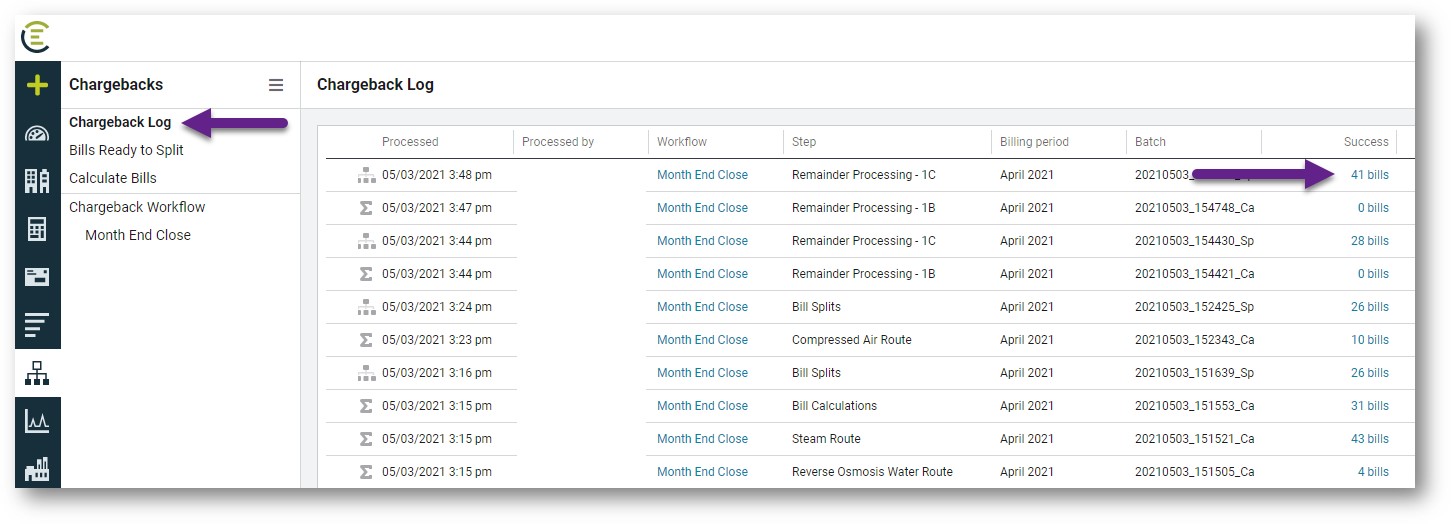
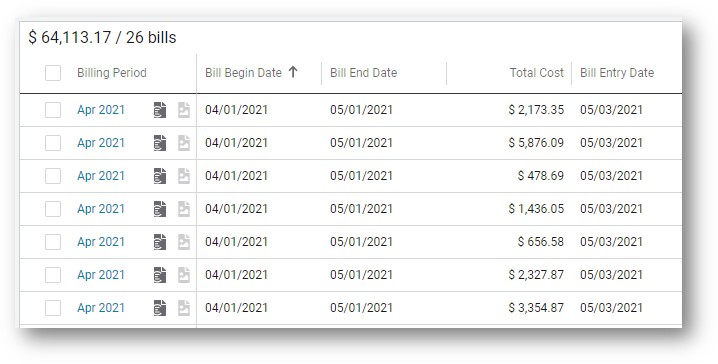
If duplicate bills are created in your database, they can be easily deleted/voided from a bill list using the following steps (screenshots included below):
If you have any questions, please contact EnergyCAP’s Technical Support team at https://support.energycap.com.
Regards,
Joel Brickell
Assistant Vice President, Client Services
EnergyCAP, LLC

©2022 EnergyCAP, LLC. All Rights Reserved.

/Homepage/SOC2.svg "SOC2")
/Homepage/ENERGYSTAR.svg "ENERGYSTAR")
/Homepage/GSAContractHolder.svg "GSAContractHolder")
/icon_LinkedIn_footer.png?width=30&name=icon_LinkedIn_footer.png)
/icon_Facebook_footer.png?width=30&name=icon_Facebook_footer.png)
/icon_Twitter_footer.png?width=30&name=icon_Twitter_footer.png)